Showing posts with label Discharge. Show all posts

Friday, June 2, 2017

Discharging Items

Hello Student Assistants,

Recently, we have come across a number of headphones and study room keys that have not been discharged/scanned in. Now that we are using Alma, this poses an issue. By leaving the item in the patron’s account, the patron eventually receives an automatically generated notice indicating that they have lost the headphones or keys and have a balance on their account. Please remember to discharge/scan in items that are returned (excluding GIL Express items which should be left on the Circulation office desk for either me, Barbara, or Kara to scan in).
To discharge/scan in the headphones, you will need the laminated sheet of barcodes that you used to check the headphones out to the patron. Make sure you scan the correct barcode. Each set of headphones is numbered on the earpieces with an orange number. That number will correspond with the number on the sheet of barcodes which you will use to check the item out to patrons and scan the item back in.

Thank you,
Holly Hampton
(678) 466-4332

Wednesday, February 22, 2017

Workflow Changes

Hello Student Assistants,

We are making a couple of changes to the workflow in an effort to make sure we provide our patrons with quality service. We recently experienced an incident in which one of the study rooms had an odor causing the patrons that planned on using the room to leave. After discussing possible ways to prevent odors from building up in the room, we have decided to add a step to the nightly workflow. As part of the closing procedures, we ask that you go into the study rooms 15 minutes to close and wipe the tables, clean the whiteboards (if they look like they have been used), and leave the door open to let the room air out until closing. Before we leave for the night, you can close and lock the rooms. On Saturdays, we will leave the room open overnight, and Sunday morning, we will close them to prevent patrons from walking in and using them without a reservation throughout the day.

We are also adding a step to the discharging of the Anker portable charger. When the Anker portable charger is brought back, you all will need to charge it at the desk so that it is ready for the next use. You can do this by plugging the charger into the computer. You will know that it is fully charged when the indicator light turns green. Do this periodically as the charger may lose power after not being in use for some time.

Let us know if you have any questions, comments, or concerns.

Thank you,
Holly Hampton
(678) 466-4332

Wednesday, January 11, 2017

Welcome Back: Spring 2017

Hello Student Assistants,

The Spring 2017 semester is here! Classes have begun and everyone has started back as of January 7, 2017. We sent out the new schedule so be sure to review it and let us know if you need to make any changes to your schedule.

A few tips for the semester:
  • Check the printers often as students print a lot during the beginning and end of the semester.
  • Remember to record all interactions in Ref. Analytics.
  • Look at the screen when charging and discharging items to ensure that they have been successfully charged/discharged. If you are prompted to select “Okay” on the screen and you don’t because you did not notice the message, items may end up not being charged/discharged as intended.
  • There is a new shelf reading schedule. Read and block your shelves when you have time as we expect your assigned shelf reading to be completed at the end of the semester.
  • We have a new study room reservation system. As a result, there is new terminology and new workflows. Learn more about the new study room (now referred to as a group room) reservation system here: http://clayton.libguides.com/studentworker/studyrooms
  • Check the date on the due date cards before placing them in any items being checked out. Make sure they match the due date in Voyager. Also, remember to verbally inform the patron of when their items are due.
  • Please review the workflow for items that are going out or coming in damaged as it is imperative that we are all following the same procedures when handing damaged items: http://clayton.libguides.com/studentworker/tips
  • Push in chairs throughout your shift rather than just every hour. We want to keep the library looking orderly and clean.
  • On the hourly checklist, do not initial next to items you have not completed/checked.
  • No items should be left on the Circulation carts at the end of your shift. Shelve any and all items on the carts as soon as possible.

To see more important reminders, review the “Circulation Desk Reminders” and “Fall Reminders” posts.

Please keep in mind that this position is determined on a semester-by-semester basis. That means that based on your performance this semester, you may or may not be invited back to work with us next semester, so be sure to do your best!

Let us know if you have any questions.

Thank you,
Holly Hampton
(678) 466-4332
Tuesday, October 25, 2016

Damaged Items

Hello Student Assistants,

We recently encountered an issue in which an item was returned to us in an extremely damaged condition. Due to this incident, we ask that you all review how to handle damaged items, both being checked out and returned. You can find this information in the “Damaged Items” box on the LibGuide at http://clayton.libguides.com/studentworker/tips. I will also include some of the information below but advise you to look over the LibGuide as well as there are pictures accompanying this information.

If an item is returned damaged in any way, do not discharge it. Alert one of your supervisors.
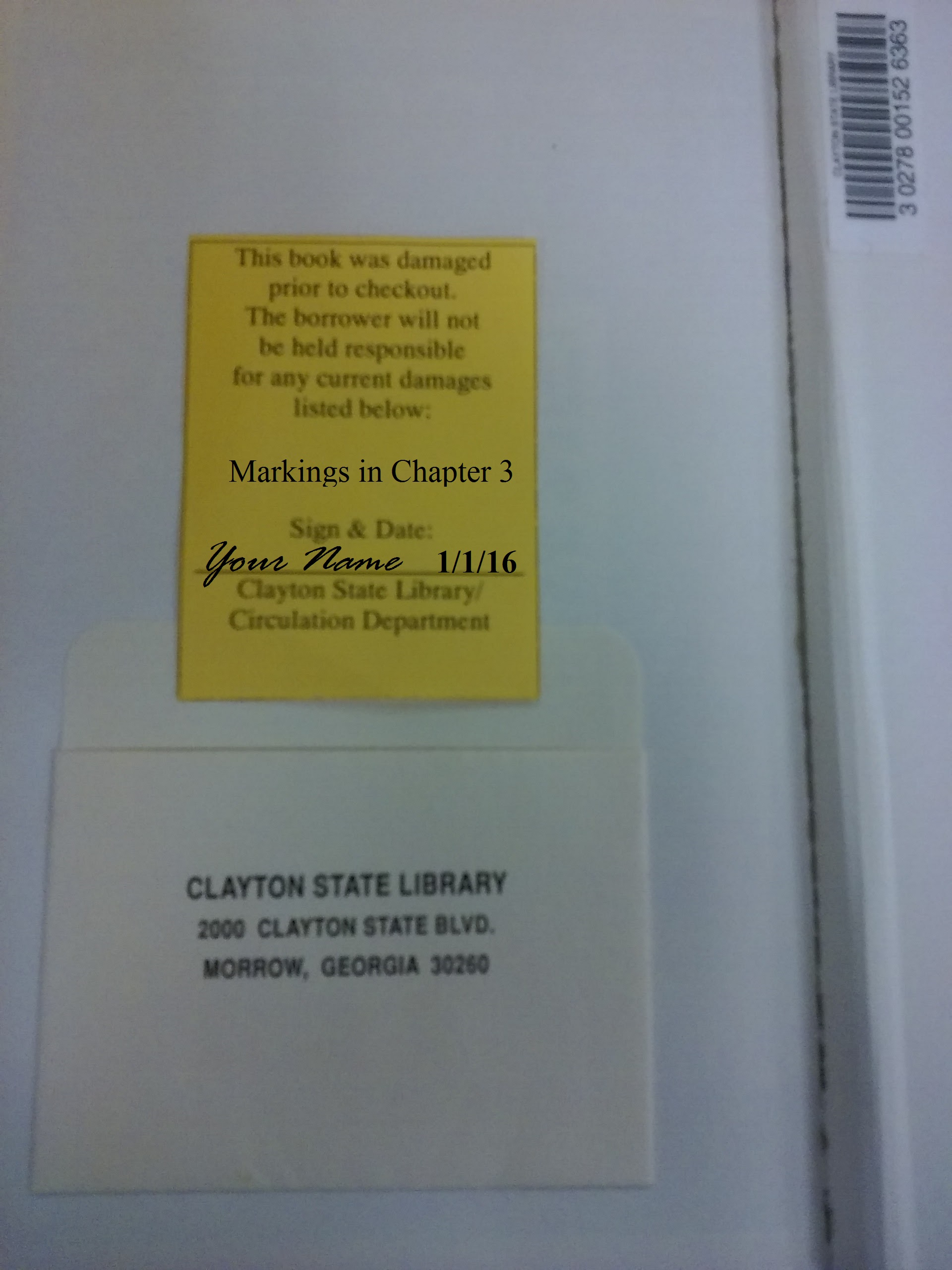
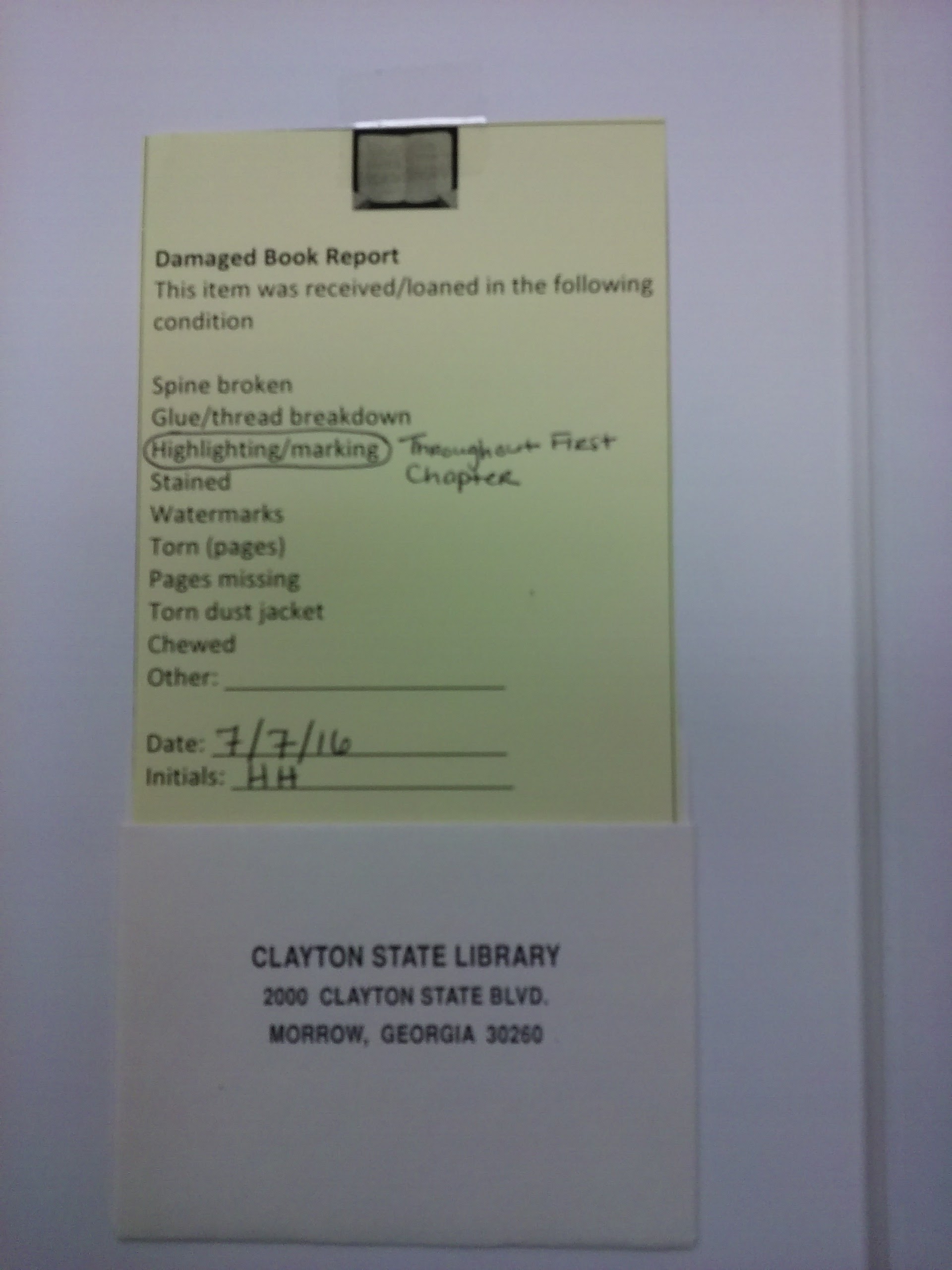
When charging a book that is damaged in any way (e.g., markings, water damage, pages torn, etc.), make sure you make note of the damage(s) on a yellow, prior damages sheet. Tape the sheet in the book on the inside of the back cover.

Again, we ask that you review the “Damaged Items” box at http://clayton.libguides.com/studentworker/tips to examine some examples of damaged items. If you do not know where the prior damages sheets are located, please ask.

Photos of the yellow, prior damages sheets:
 

Thank you,
Holly Hampton
HollyHampton@clayton.edu
(678) 466-4332

Wednesday, October 21, 2015

2 Kennesaw Campuses

Student Assistants,

When sending or returning items to Kennesaw, ensure that you look at the route slip and select the appropriate label for mailing. Remember that Kennesaw has two campuses and two libraries:


  • Horace W. Sturgis Library (Main Campus)


  • Lawrence V. Johnson (Marietta Campus - Formerly Southern Polytechnic)


If for some reason the route slip does not specify the location, please speak to a supervisor so that this can be determined prior to packaging the materials.

Thank You

Monday, February 27, 2012

NEW PROCEDURE

As some of you may have already noticed, a NEW Book Return has been placed outside the UC Doors to encourage patrons to drop their books off during hours that we are not normally open but the UC might be (particularly on the weekends or in the morning hours). 

As this requires us to check books to ensure they are processed on the correct business day, each closing shift is to check the NEW Book Return as well as the Book Return in Ms Joan & Erin's office, 15 - 20 minutes BEFORE closing. This will be reflected on the new closing procedures list and on the Daily Checklist. 

The key for the NEW Book Return can be found in the Blue Cup with all other Library Keys. If you have any questions or need any further assistance, please contact Ms. Elizabeth, Ms. Barbara, Lance or the Librarian on duty and they will be happy to assist you.